
Projects
Display
Image
Drag or upload images
Supports all formats
Model
Before
After
Hyper-Realistic AI Hair Detection

Hyper-Realistic AI Hair Detection

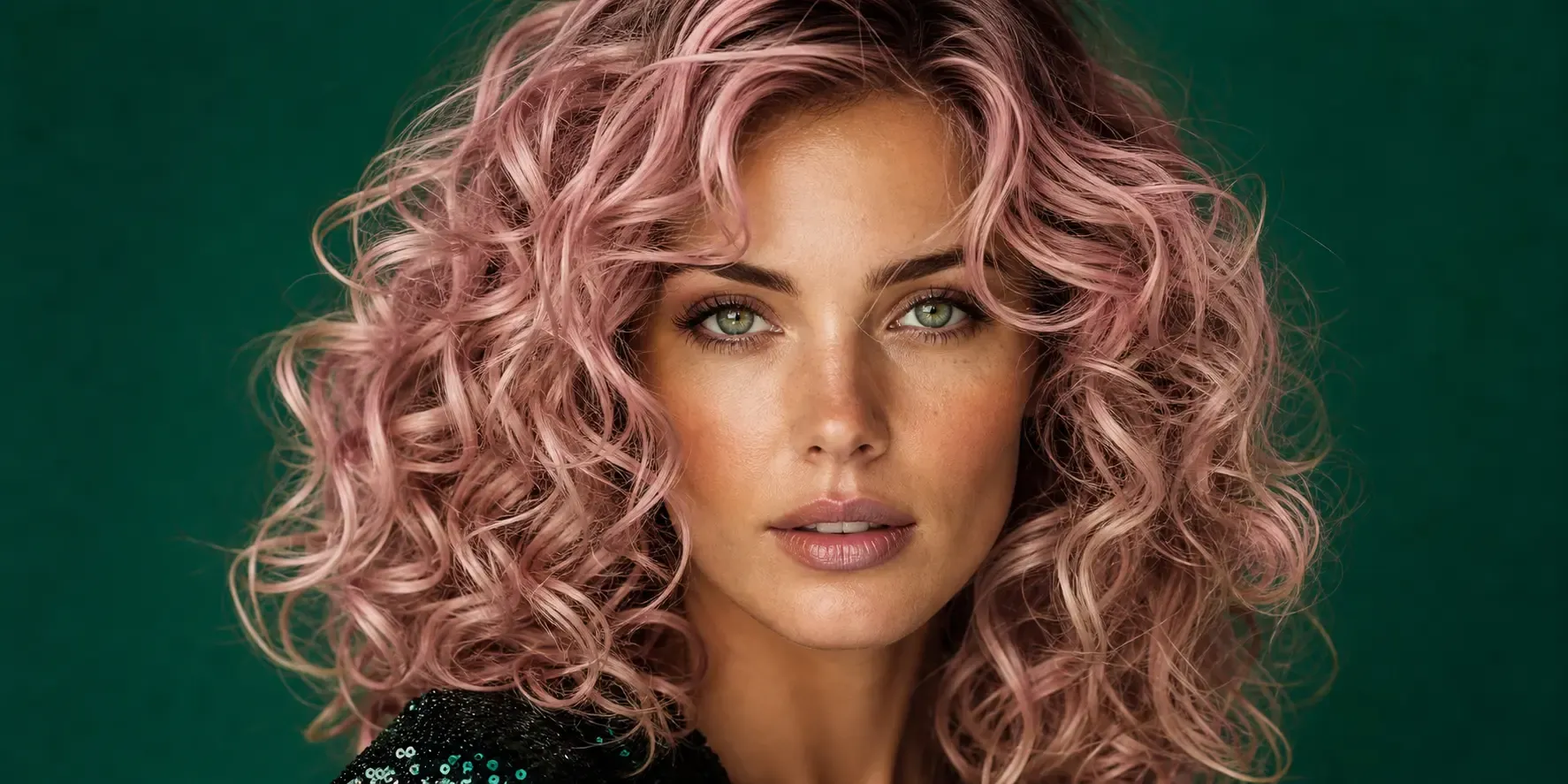
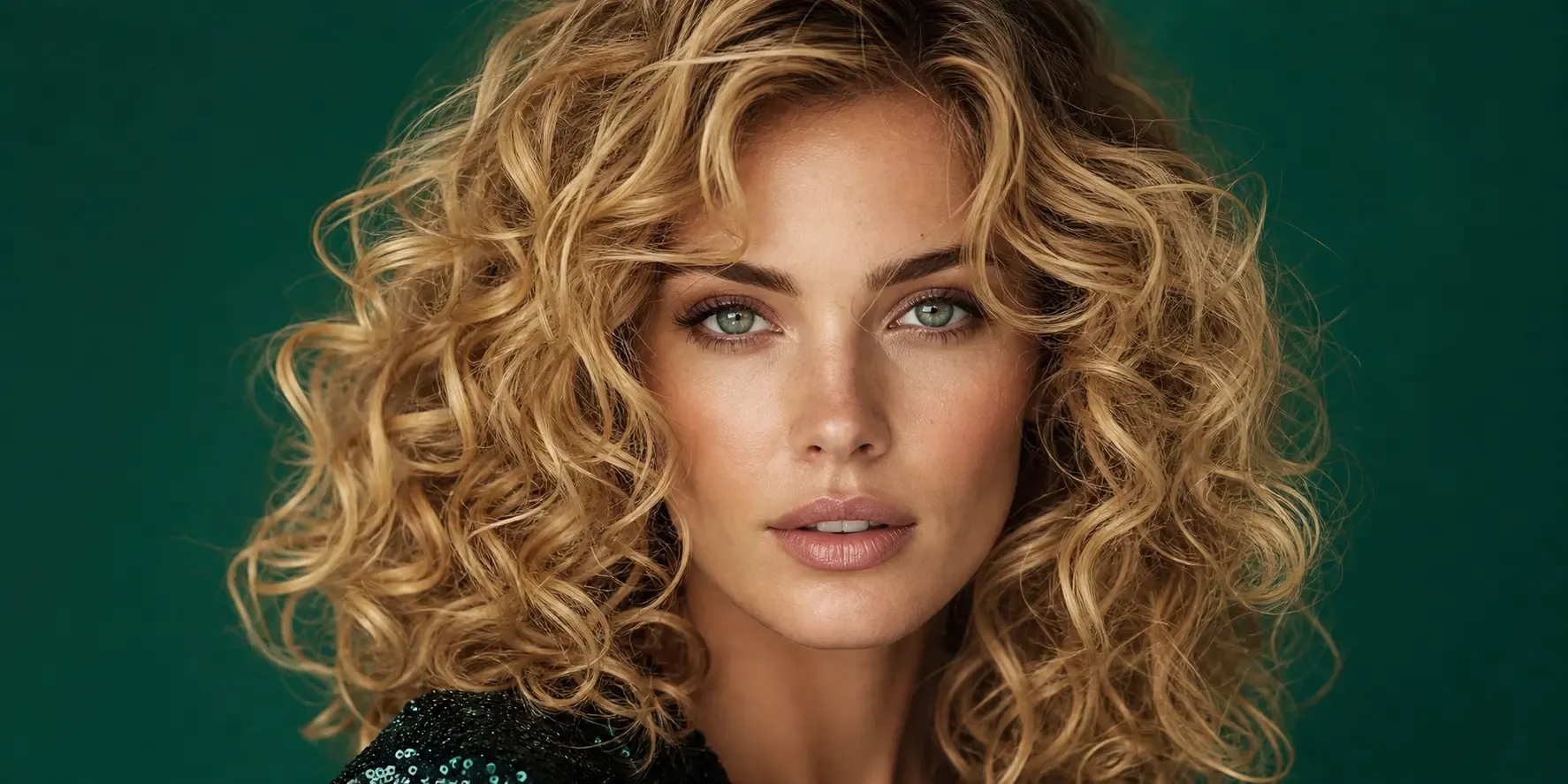
Our smart AI doesn't just paint a block of color over your head. It carefully looks at every single strand, curl, and wave. Whether your hair is pin-straight, wavy, or tightly coiled, the simulator keeps your natural lighting, shadows, and shine perfectly intact.

You get a result that looks exactly like you just stepped out of a high-end salon, realistic down to the smallest flyaway. No weird edges, no fake plastic shine, just true-to-life color that moves and reflects light naturally.
Try It Free
Before
After
 Unlimited Palette: From Classic to Trendy Ombre
 Unlimited Palette: From Classic to Trendy Ombre

Unlimited Palette: From Classic to Trendy Ombre

Bored with basic browns and blondes? Explore hundreds of shades in just a few clicks. Curious about a warm caramel balayage, icy platinum, or something wild like mermaid teal and neon pink?

Our AI hair color changer has everything from natural tones to fantasy gradients. You can even mix shades, adjust intensity, and create your own ombre or highlights.

See how a subtle copper or a bold purple looks on you instantly, the perfect playground before making any real commitment.
Try It Free
Before
After
Browser-Based, No App Download Needed

Browser-Based, No App Download Needed

Tired of cluttering your phone with heavy apps that ask for endless permissions? Our tool works right inside your web browser, on desktop, tablet, or mobile. No installation, no signup fees, no storage wasted.

Simply upload a clear selfie, choose your dream shade, and within 3 seconds you'll see a stunning transformation.

Your photo stays private: we encrypt your image and delete it immediately after processing.
Try It Free
Before
After
The Ultimate Risk-Free Testing Before Your Salon Visit

The Ultimate Risk-Free Testing Before Your Salon Visit

Maybe you're scared of ending up with the wrong tone or a disastrous bleach job. Use our realistic hair color simulator to try on hair colors virtually first.

Save your favorite AI-generated looks to your phone gallery, then show them directly to your hairstylist. This is the safest way to communicate exactly what you want, no misinterpretations, no costly mistakes. Experiment with bold reds, soft pastels, or natural brunettes until you find your perfect match.
Try It Free
Before
After
Go Viral with Your New AI Look on Social Media

Go Viral with Your New AI Look on Social Media

Want to shock your friends or test a fresh aesthetic for TikTok and Instagram? Our AI hair color changer lets you generate stunning side-by-side comparison grids or high-definition downloadable images of your new persona.

Whether you're planning a real dye session or just having fun with virtual makeovers, this tool helps you boost engagement and show off your futuristic AI hairstyle without any permanent change.
Try It Free

User Guide: EaseUS Online Hair Color Changerr

Choose Photos
Before AI Hair Color Changer
Step 1. Upload Your Photos
Enhance Photos
Before AI Hair Color Changer
Step 2. Change Hair Color with AI
Download Photos
After AI Hair Color Changer
Step 3. Download Changed Photos

Why Choose Fixo AI to Enhance Images?

Powerful AI model
Powerful AI model
It integrates multiple AI image processing models, and there is always one that can solve your problem!
Fast speed
Fast speed
On average, a picture can be processed in just 10 seconds. It is fast and of high quality.
One-click processing
The operation is simple. Just click one button to handle it. No complicated procedures are required. You can obtain the photos you desire.

What Our Users Say?

Fixo has become my go-to AI editing tool for all things photos! As a blogger who needs quick, professional results, I love that it's web-based—no downloads or complicated setups. The old photo restoration feature worked miracles on my grandma's faded, scratched portrait: it fixed cracks, added natural colors, and sharpened details without making it look over-edited.
Mia Carter
Mia Carter
Blogger
I'm blown away by Fixo's AI power! I used it to unblur a blurry concert photo and remove an annoying photobomber—both tasks done seamlessly in seconds. The web interface is clean and intuitive, so I never feel lost navigating tools. What stands out most is the color correction: it balanced the harsh stage lights perfectly, making the image look vibrant but realistic.
Liam Henderson
Liam Henderson
Event Photographer
Fixo turned my ordinary selfies into stunning portraits! I also tried the anime style transfer, and the result was so detailed and fun, I shared it everywhere. As someone who's not tech-savvy, I appreciate how simple it is: upload, select a tool, and let AI do the work. The web version loads fast, even with high-res photos, and downloading watermark-free results is a huge plus.
Sophia Torres
Sophia Torres
Graphic Designer
I can't thank Fixo enough for restoring my parents' wedding photos. They were black-and-white, faded, and full of small tears, but Fixo's AI repaired every flaw and added lifelike colors that feel true to the era. The process was effortless—just drag and drop the photo, pick the restoration tool, and wait a minute.
Ethan Wilson
Ethan Wilson
Photographer
As a small business owner, I need to make product photos look polished without hiring a designer. Fixo's AI enhancement and background removal tools are game-changers. It sharpens product details, fixes lighting issues, and removes messy backgrounds in one click—all through the web, so I don't clog up my computer.
Olivia Bennett
Olivia Bennett
Small business owner
Fixo has become my go-to AI editing tool for all things photos! As a blogger who needs quick, professional results, I love that it's web-based—no downloads or complicated setups. The old photo restoration feature worked miracles on my grandma's faded, scratched portrait: it fixed cracks, added natural colors, and sharpened details without making it look over-edited.
Mia Carter
Mia Carter
Blogger
I'm blown away by Fixo's AI power! I used it to unblur a blurry concert photo and remove an annoying photobomber—both tasks done seamlessly in seconds. The web interface is clean and intuitive, so I never feel lost navigating tools. What stands out most is the color correction: it balanced the harsh stage lights perfectly, making the image look vibrant but realistic.
Liam Henderson
Liam Henderson
Event Photographer
Fixo turned my ordinary selfies into stunning portraits! I also tried the anime style transfer, and the result was so detailed and fun, I shared it everywhere. As someone who's not tech-savvy, I appreciate how simple it is: upload, select a tool, and let AI do the work. The web version loads fast, even with high-res photos, and downloading watermark-free results is a huge plus.
Sophia Torres
Sophia Torres
Graphic Designer
I can't thank Fixo enough for restoring my parents' wedding photos. They were black-and-white, faded, and full of small tears, but Fixo's AI repaired every flaw and added lifelike colors that feel true to the era. The process was effortless—just drag and drop the photo, pick the restoration tool, and wait a minute.
Ethan Wilson
Ethan Wilson
Photographer
As a small business owner, I need to make product photos look polished without hiring a designer. Fixo's AI enhancement and background removal tools are game-changers. It sharpens product details, fixes lighting issues, and removes messy backgrounds in one click—all through the web, so I don't clog up my computer.
Olivia Bennett
Olivia Bennett
Small business owner

Enhance Image Quality Online FAQs

Discover More Tools with Fixo AI