
Repair Corrupted or Unplayable Audio Files Online
Fix audio that will not open, has no sound, stops early, shows 00:00 duration, or ends incomplete. Fixo checks the damaged file structure first, rebuilds recoverable data, and lets you hear the result before you download.
 Secure
 Supports MP3, AAC, WAV, FLAC, M4A, WMA, AIFF, AIF, OGG, OGA, and more, Your file stays private


Repair Audio Online in 3 Steps
From uploading the original file to checking, repairing, listening, and downloading — all in one workspace.

8 Audio Formats, With Real Sample Scenarios
Common and professional lossless formats are all covered. Every card carries a content-scenario sample you can audition.
 Common formats
 Professional & lossless
 Note: noise reduction, vocal enhancement, and mastering are sound-enhancement tasks for files that already play — they are not part of corrupted-file repair on this page.
Hear the Difference: Damaged vs. Repaired
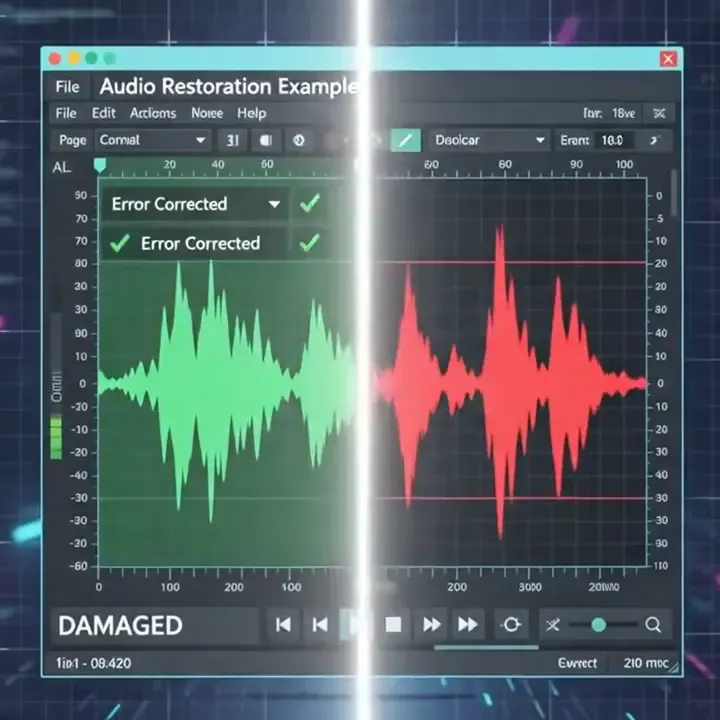
The same interview recording: the damaged file on one side with broken, clipped waveform that stops at 00:12 — and the complete waveform after Fixo repair on the other.
 Damaged
 Stops at 00:00
 Clipping & gaps
 Wrong duration
 Repaired
 Plays full 00:00
 Continuous waveform
 Duration restored
Repair Audio From the Moments You Cannot Re-record
Find the source that matches your file. Whatever the device or workflow, upload the original damaged file whenever possible.
What Does Your Broken Audio Sound Like?
Match the symptom closest to your file. All of these are file-structure problems, and that is exactly what Fixo repairs.
Won't play at all
The player throws an error, or nothing happens when you open the file.Plays, but no sound
The progress bar moves, but you hear complete silence.Stops early or incomplete
The recording cuts off midway and the second half is gone.Duration shows 00:00
The file clearly has content, yet the player shows zero or a wrong length.Corrupted header
Recovered files and sessions that crashed mid-edit often break at the header.Format not recognized
It is clearly an MP3 or WAV, yet the player says “format not supported”.Broken index or sync
Seeking jumps to wrong positions, or playback skips sections at random.Partial data loss
The file opens, but with holes, bursts, or whole sections missing.Professional Audio File Repair, Not Just Sound Cleanup
Fixo focuses on damaged file structure and recoverable audio data, so a compatible player can open your recording again.
Restoring Audio using AI for Flawless Sound
Has it ever happened to you that your valuable audio got corrupt or damaged? You can repair audios that got corrupt because of a problem with the storage medium, partial transfer, or even a power failure using EaseUS free online audio repair tool. Using AI automated audio repair, you will be able to upload your damaged audio files and restore the corrupt audio within no time without any manual effort.
EaseUS Online Audio Repair makes sure that your audio is restored with the original quality and integrity of the file intact. If you are a podcaster, a music composer, or anyone looking forward to keeping your valuable voice memos, then you can use EaseUS Online Audio Repair, which will serve as your reliable and safe audio repair tool.
EaseUS Free Online Audio Enhancer Delivers Studio-Quality Sounds
Has there been a time when you have heard sounds that were flat, unclear, and muddy? EaseUS free online audio enhancer is what you need to fix your audio file that may be inconsistent in terms of volume, tones, and clarity. By leveraging AI automatic audio enhancement feature, you will be able to load up your original audio files and get studio-quality sounds in no time.
EaseUS audio enhancer will make sure that your original sounds remain as it is when enhancing your audio file for better results. Whether you are a podcaster, a music artist, or simply want to enhance your personal sounds, EaseUS audio enhancer is your ultimate solution.
Enhance Your Audio Recording Using the Easy AI Audio Repair Tool for Free
Have you ever recorded videos or voice memos but later realized the audio quality was unclear, harsh, or unbalanced? You can easily solve these issues using a free online audio enhancement program by EaseUS, which lets you convert poor-quality audio into high-quality audio without much hassle. All you have to do is use the AI automatic audio enhancement feature in order to convert your raw audio files into high-quality ones in no time at all.
Using EaseUS audio enhancer will not affect the quality of your audio, and it will make sure that your audio files maintain their originality and sound professionally made. This audio enhancer is one of the best ways for you to enhance your audio recordings in order to ensure that they sound professionally done.
Online Audio Repair or Fixo Desktop?
Use the online tool for a quick single-file repair. Choose the desktop app for large files, batch jobs, offline work, and complex damage.
Capability | Online repairFor a quick small-size file | Desktop repairFor larger or multiple files |
Best for | Quick repair in a browser | Large files, advanced repairs, or privacy-sensitive jobs |
Formats supported | MP3, WAV, M4A, AAC, FLAC, WMA, OGG, OGA, AIFF, AIF, etc | MP3, WAV, M4A, AAC, FLAC, WMA, OGG, OGA, AIFF, AIF, etc |
Advanced repair |  Not available |  Available |
File size | < 100 MB | Unlimited |
Automatic repair | Not available | Available |
Local & private processing | Processed over an encrypted connection | Privacy & local processing |
Offline use | Requires internet | Fully offline |
Complex damage | Common structural damage | Advanced workflows for severe corruption |
Premium technical assistance | Not supported | Supported |
Access | Open the browser and go | Download and install |
Repair File Online No installation required | Try Fixo DesktopDesktop app download required |
Audio Repair Online Free FAQs
Upload your audio file to EaseUS Online Audio Repair. Wait for the repair process to end, then download the repaired audio.
You can use dedicated audio repair programs to fix corrupted audio files. You can choose online audio repair tool or free download audio repair software on you computer to make it. The process usually involves selecting the broken file, upload for repairing online or often a sample good file from the same device for the software to use as a reference for repair.
EaseUS Online Audio Repair is the perfect answer as it provides the following functions – it automatically cleans the audio, ensures volume consistency, and makes you sound good.
You can use EaseUS Online Audio Repair to repair corrupted MP3 and other audoio files online for free. Powered by advanced audio repair technology, it fixes audio damage caused by various reasons, such as transmission interruption, transcoding failure, or incorrect editing.
An audio repair tool or program like EaseUS Fixo is well designed to fix corrupted, broken, or damaged audio files that can't play properly, such as skipping, stuttering, or not opening at all.
What Our Users Say?
Browse more repair experiences from different files, devices, and real-world situations.


TRUSTPILOT
From users like you
Real feedback on EaseUS products and customer support, shared on Trustpilot.
Read all EaseUS reviewsEaseUS company reviews
Across EaseUS products and services.
Repair Your Corrupted Audio Now
Upload the original file, check the damage, and hear the repaired result. Free to try
 Listen before download
 Original files untouched