
AI Hairstyle Changer - Try Hairstyles Online & Preview Hair Changes
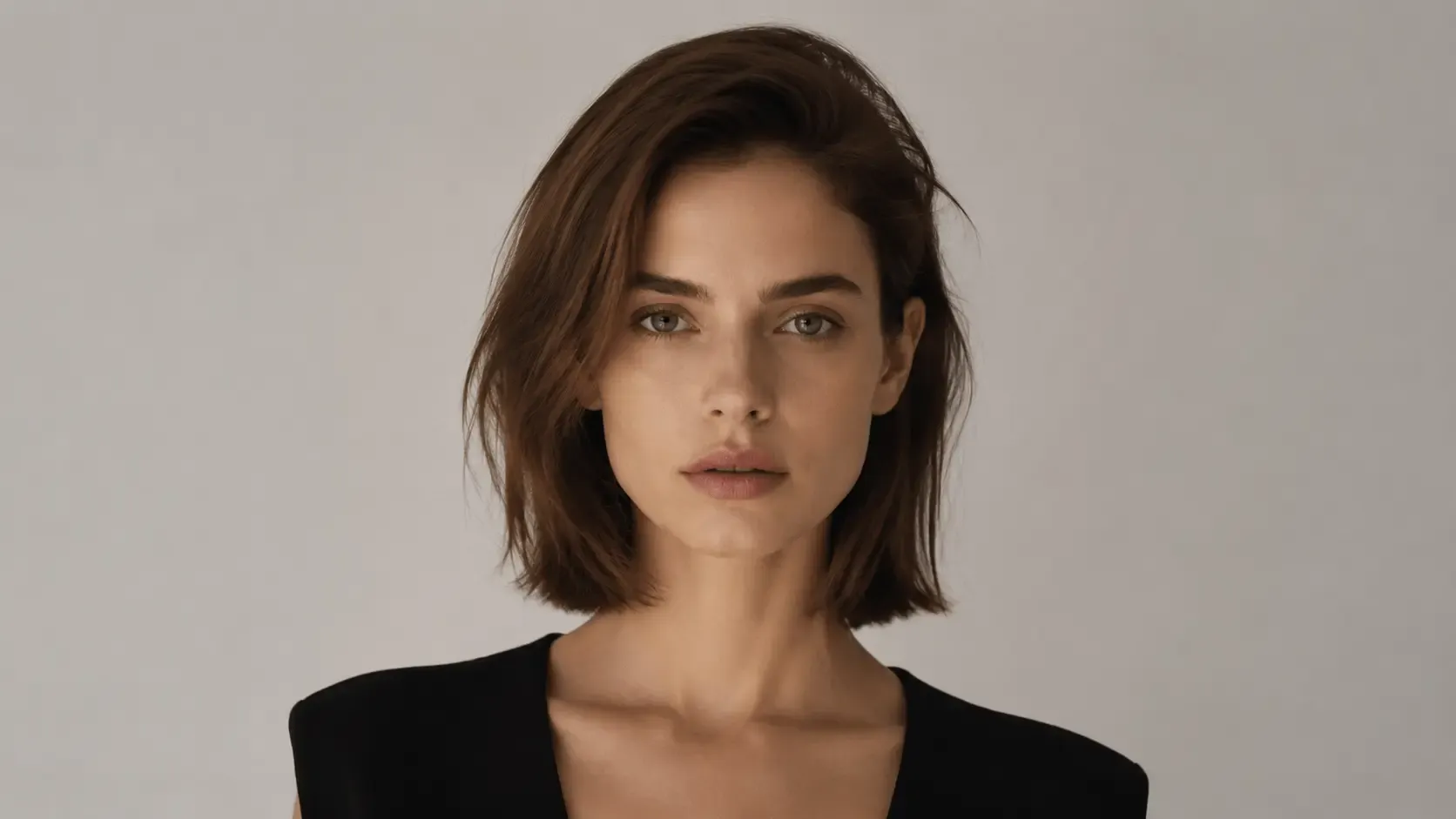
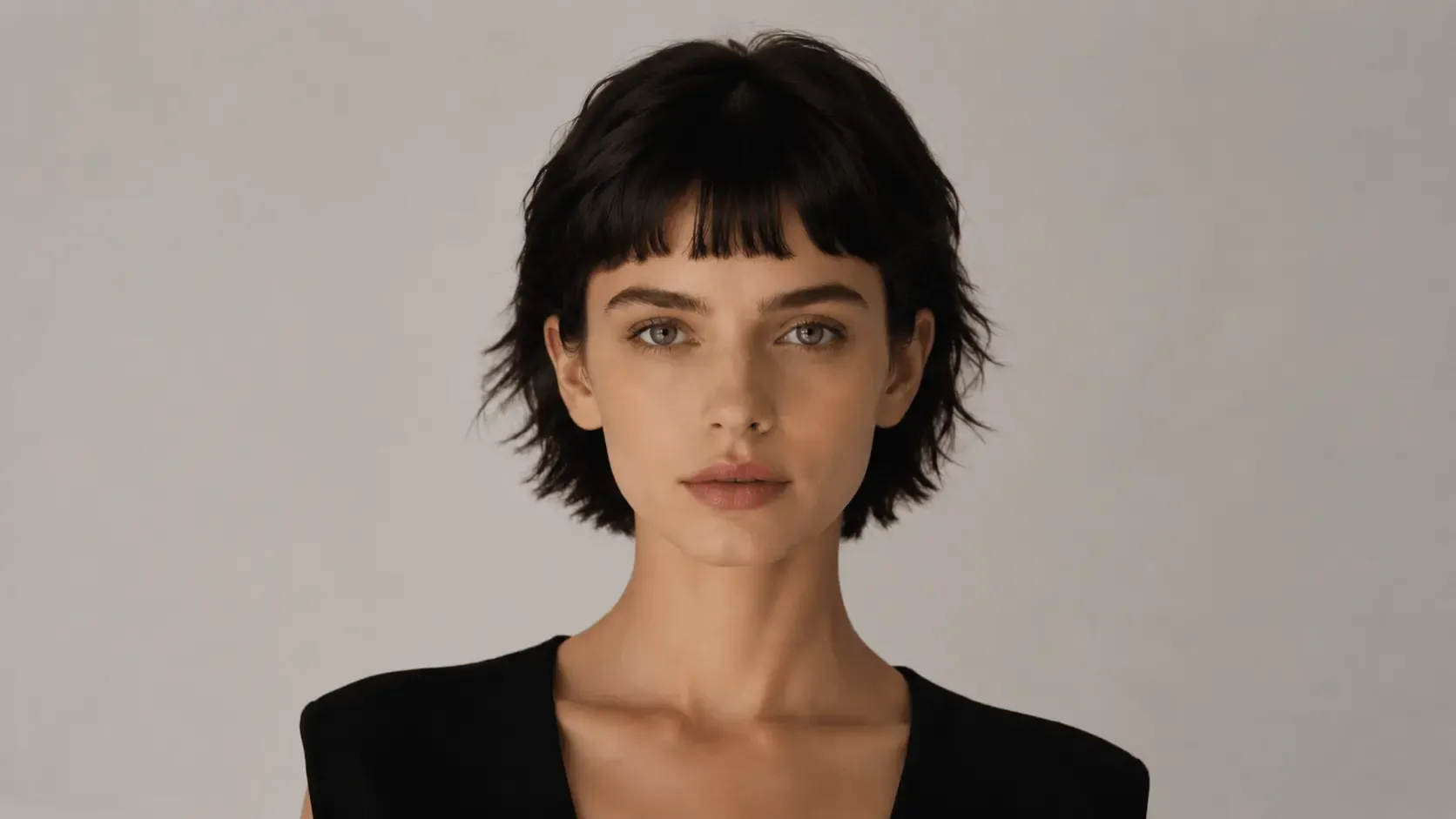
EaseUS AI hairstyle changer will help you choose the ideal hairstyle. Before cutting or coloring, review realistic previews, test hairstyles online, and try different hair colors. This virtual hair makeover tool helps you confidently style your hair and is suitable for both men and women.
Before
After


Upload or Drop Files support any formats
Before
After
Realistic Hairstyle Change That Looks Truly Natural
EaseUS hairstyle changer, powered by cutting-edge AI, provides a realistic hairstyle preview that resembles a real photograph rather than an overlay. The algorithm seamlessly integrates the new haircut into the original image by automatically identifying your head structure, hairline, and face shape.
The lighting, layers, volume, and hair strands are cleverly recreated to mimic real hair behavior, enabling users to make styling decisions with confidence. You just need to upload your own picture and start changing the haircuts!
Try It Free
Before
After
Switch Between Multiple Hairstyles Instantly with One Click
You can quickly try several hairstyles with this free online hairstyle changer without repeatedly uploading. It includes many built-in hairstyle templates, ranging from straight, curly, and wavy styles to medium-length and short cuts. You can compare outcomes side by side in the same image and switch between views with a single click.
Check all haircut styles in the built-in catalog, and try on popular and classic hairstyle templates now.
Try It Free
Before
After
Perfect Hairstyle Changer for Men and Women
This online AI hair-styling change tool supports both male and female users. Female users can experiment with Bob cuts, layered long hair, bangs, or soft curls, and male users can experiment with buzz cuts, fades, business styles, or fashionable modern looks.
In order to avoid mismatched or uncomfortable looks, the technology automatically modifies the hairstyle to complement gender-specific characteristics and facial shape.
Try It Free
Before
After
Suitable for Multiple Use Scenarios
This AI hairstyle simulator is made to function with a variety of people and situations. It lowers ambiguity and the possibility of expensive errors by allowing users to see hairstyles before a haircut or hair dye session.
It is a visual communication tool that hairstylists can use to better grasp the expectations of their clients. This online image changer can be used for personal purposes by users to quickly generate hairdo inspiration, plan photographs, and experiment with fashion and social media material.
Because of this, the gadget is perfect for couples, families, hairstylists, and anyone who wants to experiment with different appearances, regardless of gender.
It is a visual communication tool that hairstylists can use to better grasp the expectations of their clients. This online image changer can be used for personal purposes by users to quickly generate hairdo inspiration, plan photographs, and experiment with fashion and social media material.
Because of this, the gadget is perfect for couples, families, hairstylists, and anyone who wants to experiment with different appearances, regardless of gender.
Try It Free
Before
After
Uploaded Personal Pics Are Safe with Us
For registered users, this AI hairstyle changer provides a quick, safe online experience. Your uploaded images are not saved or shared after the session; they are simply used to create hairdo previews.
Users can try various haircuts and styles without fear. Everyone, from casual users to hairstylists, can easily preview hairstyles thanks to its user-friendly design, which also protects privacy and security.
Try It Free
User Guide: EaseUS AI Hairstyle Changer
Step 1. Upload Your Photos
Step 2. Change Hairstyles with AI
Step 3. Download Enhanced Photos
Why Choose Fixo AI to Enhance Images?
Powerful AI model
It integrates multiple AI image processing models, and there is always one that can solve your problem!
Fast speed
On average, a picture can be processed in just 10 seconds. It is fast and of high quality.
One-click processing
The operation is simple. Just click one button to handle it. No complicated procedures are required. You can obtain the photos you desire.
What Our Users Say?

Mia Carter
Fixo has become my go-to AI editing tool for all things photos! As a blogger who needs quick, professional results, I love that it's web-based—no downloads or complicated setups. The old photo restoration feature worked miracles on my grandma's faded, scratched portrait: it fixed cracks, added natural colors, and sharpened details without making it look over-edited.

Liam Henderson
I'm blown away by Fixo's AI power! I used it to unblur a blurry concert photo and remove an annoying photobomber—both tasks done seamlessly in seconds. The web interface is clean and intuitive, so I never feel lost navigating tools. What stands out most is the color correction: it balanced the harsh stage lights perfectly, making the image look vibrant but realistic.

Sophia Torres
Fixo turned my ordinary selfies into stunning portraits! I also tried the anime style transfer, and the result was so detailed and fun, I shared it everywhere. As someone who's not tech-savvy, I appreciate how simple it is: upload, select a tool, and let AI do the work. The web version loads fast, even with high-res photos, and downloading watermark-free results is a huge plus.

Ethan Wilson
I can't thank Fixo enough for restoring my parents' wedding photos. They were black-and-white, faded, and full of small tears, but Fixo's AI repaired every flaw and added lifelike colors that feel true to the era. The process was effortless—just drag and drop the photo, pick the restoration tool, and wait a minute.

Olivia Bennett
As a small business owner, I need to make product photos look polished without hiring a designer. Fixo's AI enhancement and background removal tools are game-changers. It sharpens product details, fixes lighting issues, and removes messy backgrounds in one click—all through the web, so I don't clog up my computer.

Mia Carter
Fixo has become my go-to AI editing tool for all things photos! As a blogger who needs quick, professional results, I love that it's web-based—no downloads or complicated setups. The old photo restoration feature worked miracles on my grandma's faded, scratched portrait: it fixed cracks, added natural colors, and sharpened details without making it look over-edited.

Liam Henderson
I'm blown away by Fixo's AI power! I used it to unblur a blurry concert photo and remove an annoying photobomber—both tasks done seamlessly in seconds. The web interface is clean and intuitive, so I never feel lost navigating tools. What stands out most is the color correction: it balanced the harsh stage lights perfectly, making the image look vibrant but realistic.

Sophia Torres
Fixo turned my ordinary selfies into stunning portraits! I also tried the anime style transfer, and the result was so detailed and fun, I shared it everywhere. As someone who's not tech-savvy, I appreciate how simple it is: upload, select a tool, and let AI do the work. The web version loads fast, even with high-res photos, and downloading watermark-free results is a huge plus.

Ethan Wilson
I can't thank Fixo enough for restoring my parents' wedding photos. They were black-and-white, faded, and full of small tears, but Fixo's AI repaired every flaw and added lifelike colors that feel true to the era. The process was effortless—just drag and drop the photo, pick the restoration tool, and wait a minute.

Olivia Bennett
As a small business owner, I need to make product photos look polished without hiring a designer. Fixo's AI enhancement and background removal tools are game-changers. It sharpens product details, fixes lighting issues, and removes messy backgrounds in one click—all through the web, so I don't clog up my computer.