
Projects
Display
Image
Drag or upload images
Supports all formats
Model
Before
After
Changer Eye Color with AI Power

Precision Editing for Group Photos

Leveraging advanced AI technology, our tool accurately identifies each individual within a group photo. This allows you to change the eye color of a specific person without affecting anyone else in the frame. Whether you want to enhance one person's look or experiment with different tones for different individuals, the AI ensures clean, isolated edits with no bleeding or unintended changes to surrounding faces.

This feature is perfect for family portraits, party group shots, or prom event photos where personalized edits matter. You can tailor each person's eye color individually—giving everyone their preferred look in a single image. It eliminates the need for manual masking or complex retouching, making group photo editing fast, precise, and effortlessly professional.
Try It Free
Before
After
Changer Eye Color with AI Power

Precision Iris Masking for Custom Eye Color

Smart pupil and iris detection technology automatically isolates the iris area, applying an editable color mask that delivers vibrant, custom shades. Unlike simple overlays that cover the entire eye, this approach respects the natural shape and contours of the iris, ensuring that bold colors look authentic rather than artificial. The mask stays precisely within the iris boundaries, keeping the pupil and sclera (white of the eye) completely untouched.

This capability is ideal for crafting unique makeup looks for Halloween, cosplay-themed shoots, or fantasy portraits. Whether you want striking crimson for a vampire character, luminous gold for an otherworldly being, or electric blue for a superhero cosplay, the editable color mask makes bold iris colors pop while maintaining a natural optical feel. Adjust hue, saturation, and intensity with ease to bring your creative vision to life without the need for physical colored contacts.
Try It Free
Before
After
Changer Eye Color with AI Power

More Than an Eye Color Changer

EaseUS's all-in-one eye editor and makeup generators goes far beyond basic color adjustments. With a comprehensive set of retouching tools, you can reduce red veins, fix red-eye effects, erase under-eye wrinkles or fine lines, and remove distracting glare from glasses. These intelligent enhancements work together to ensure that eyes look naturally crisp, clear, and bright—without appearing over-processed or artificial.

This powerful editor is ideal for wedding portraits, professional headshots, editorial work, or any photo where eye retouching matters. Whether you're preparing a bride's close-up, a corporate headshot, or a family portrait, EaseUS helps you achieve polished, expressive eyes that capture attention. Say goodbye to tedious manual retouching and hello to effortless, studio-quality results in just a few clicks. Get Natural-Lookng Eye Color Results
Try It Free
Before
After
Changer Eye Color with AI Power

Preset Eye Color with AI Smart Color Lens Filters

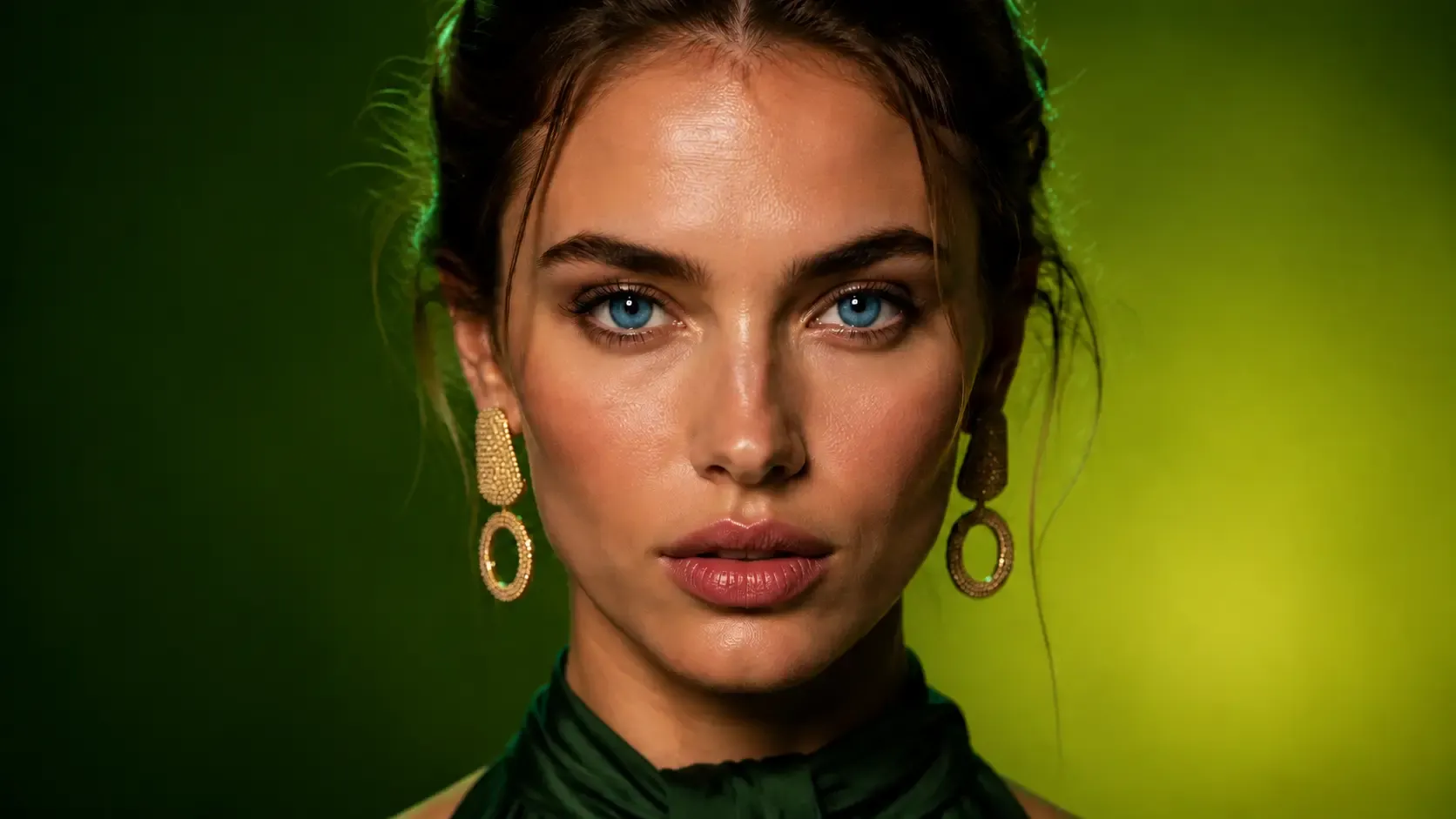
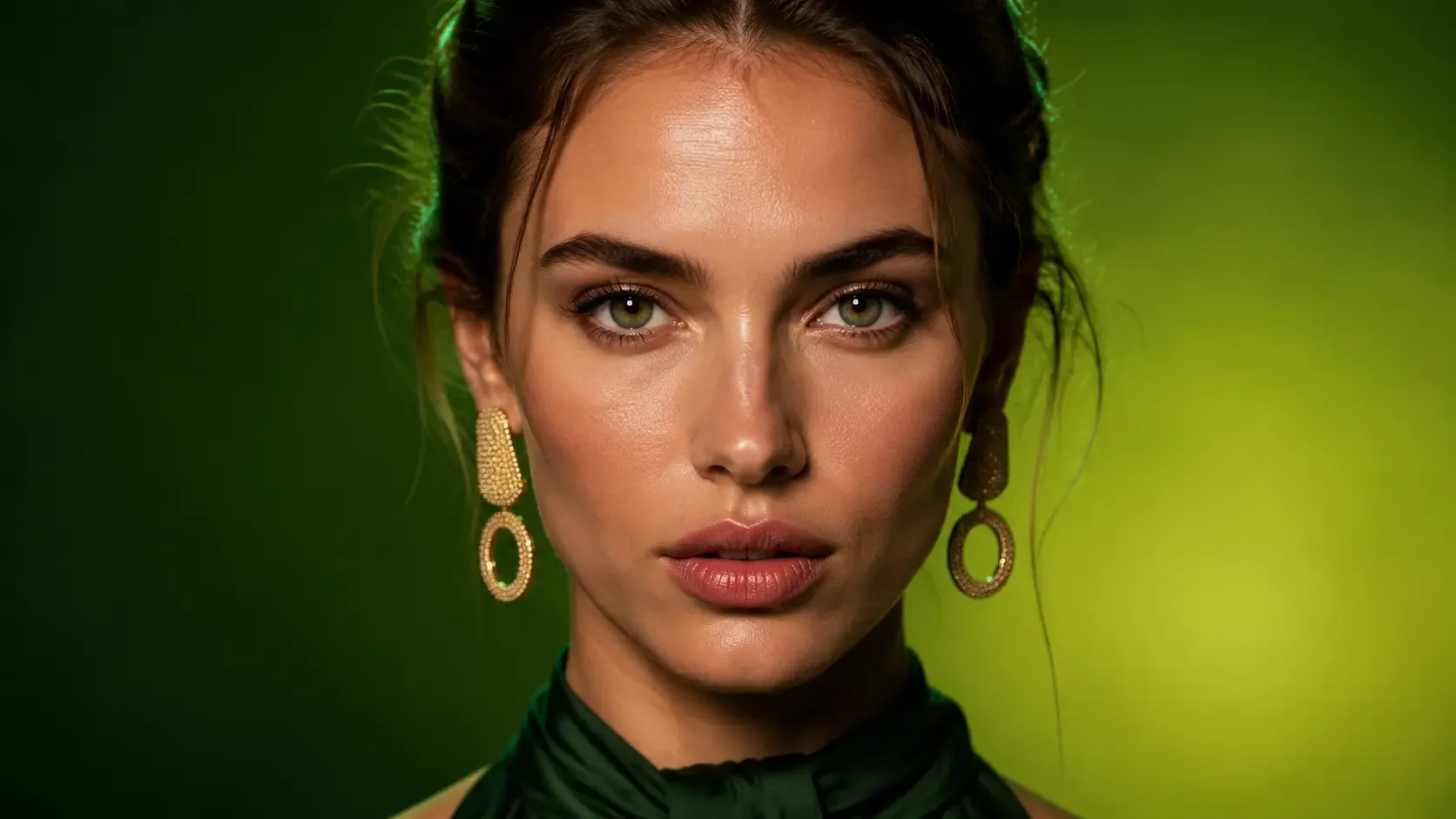
Try out one-click eye color filters designed for brown, blue, purple, and other tones. Powered by AI, these filters accurately mimic the look of colored contact lenses, delivering a natural and realistic effect. Whether you're aiming for a subtle everyday change or a bold new look, the smart color adaptation ensures seamless blending with your original iris.

Adjust the color intensity easily with an interactive slider to achieve your perfect match—from a faint tint to a vivid transformation. Ideal for virtual try-ons, makeup shoots, or creative self-expression, these filters offer a risk-free way to experiment with different eye colors before committing to real lenses. No downloads or hardware required—just instant, lifelike results.
Try It Free
Before
After
Changer Eye Color with AI Power

Get Natural-Looking Eye Color Results

Easily change eye color in seconds while maintaining a realistic and seamless finish. Powered by intelligent color blending technology, our tool ensures that the chosen shade naturally interacts with your original iris texture, lighting, and pupil size. Whether you're testing a subtle enhancement or a dramatic transformation, the result is always smooth, believable, and free from the flat, painted-on look that plagues basic filters.

Use our online eye simulator to test dozens of highly realistic colored contact shades before you make a purchase. Instantly see what you look like with vibrant emerald green, icy blue, warm hazel, or other stunning tones—all from the comfort of your device. This virtual try-on experience saves time, eliminates guesswork, and helps you confidently choose the perfect lens color for any occasion, from daily wear to special events.
Try It Free

User Guide: EaseUS Online Eye Color Changer

Choose Photos
Before AI Eye Color Changer
Step 1. Upload Your Photo
Enhance Photos
Before AI Eye Color Changer
Step 2. Choose the Eye Color You Want
Download Photos
After AI Eye Color Changer
Step 3. Tap on Generate to Change

Why Choose Fixo AI to Change Eye Color?

Powerful AI model
Powerful AI model
It integrates multiple AI image processing models, and there is always one that can solve your problem!
Fast speed
Fast speed
On average, a picture can be processed in just 10 seconds. It is fast and of high quality.
One-click processing
The operation is simple. Just click one button to handle it. No complicated procedures are required. You can obtain the photos you desire.

What Our Users Say?

Fixo has become my go-to AI editing tool for all things photos! As a blogger who needs quick, professional results, I love that it's web-based—no downloads or complicated setups. The old photo restoration feature worked miracles on my grandma's faded, scratched portrait: it fixed cracks, added natural colors, and sharpened details without making it look over-edited.
Mia Carter
Mia Carter
Blogger
I'm blown away by Fixo's AI power! I used it to unblur a blurry concert photo and remove an annoying photobomber—both tasks done seamlessly in seconds. The web interface is clean and intuitive, so I never feel lost navigating tools. What stands out most is the color correction: it balanced the harsh stage lights perfectly, making the image look vibrant but realistic.
Liam Henderson
Liam Henderson
Event Photographer
Fixo turned my ordinary selfies into stunning portraits! I also tried the anime style transfer, and the result was so detailed and fun, I shared it everywhere. As someone who's not tech-savvy, I appreciate how simple it is: upload, select a tool, and let AI do the work. The web version loads fast, even with high-res photos, and downloading watermark-free results is a huge plus.
Sophia Torres
Sophia Torres
Graphic Designer
I can't thank Fixo enough for restoring my parents' wedding photos. They were black-and-white, faded, and full of small tears, but Fixo's AI repaired every flaw and added lifelike colors that feel true to the era. The process was effortless—just drag and drop the photo, pick the restoration tool, and wait a minute.
Ethan Wilson
Ethan Wilson
Photographer
As a small business owner, I need to make product photos look polished without hiring a designer. Fixo's AI enhancement and background removal tools are game-changers. It sharpens product details, fixes lighting issues, and removes messy backgrounds in one click—all through the web, so I don't clog up my computer.
Olivia Bennett
Olivia Bennett
Small business owner
Fixo has become my go-to AI editing tool for all things photos! As a blogger who needs quick, professional results, I love that it's web-based—no downloads or complicated setups. The old photo restoration feature worked miracles on my grandma's faded, scratched portrait: it fixed cracks, added natural colors, and sharpened details without making it look over-edited.
Mia Carter
Mia Carter
Blogger
I'm blown away by Fixo's AI power! I used it to unblur a blurry concert photo and remove an annoying photobomber—both tasks done seamlessly in seconds. The web interface is clean and intuitive, so I never feel lost navigating tools. What stands out most is the color correction: it balanced the harsh stage lights perfectly, making the image look vibrant but realistic.
Liam Henderson
Liam Henderson
Event Photographer
Fixo turned my ordinary selfies into stunning portraits! I also tried the anime style transfer, and the result was so detailed and fun, I shared it everywhere. As someone who's not tech-savvy, I appreciate how simple it is: upload, select a tool, and let AI do the work. The web version loads fast, even with high-res photos, and downloading watermark-free results is a huge plus.
Sophia Torres
Sophia Torres
Graphic Designer
I can't thank Fixo enough for restoring my parents' wedding photos. They were black-and-white, faded, and full of small tears, but Fixo's AI repaired every flaw and added lifelike colors that feel true to the era. The process was effortless—just drag and drop the photo, pick the restoration tool, and wait a minute.
Ethan Wilson
Ethan Wilson
Photographer
As a small business owner, I need to make product photos look polished without hiring a designer. Fixo's AI enhancement and background removal tools are game-changers. It sharpens product details, fixes lighting issues, and removes messy backgrounds in one click—all through the web, so I don't clog up my computer.
Olivia Bennett
Olivia Bennett
Small business owner

Eye Color Changer Online FAQs

Discover More Tools with Fixo AI