
AI Face Slimming Photo Editor Online Free
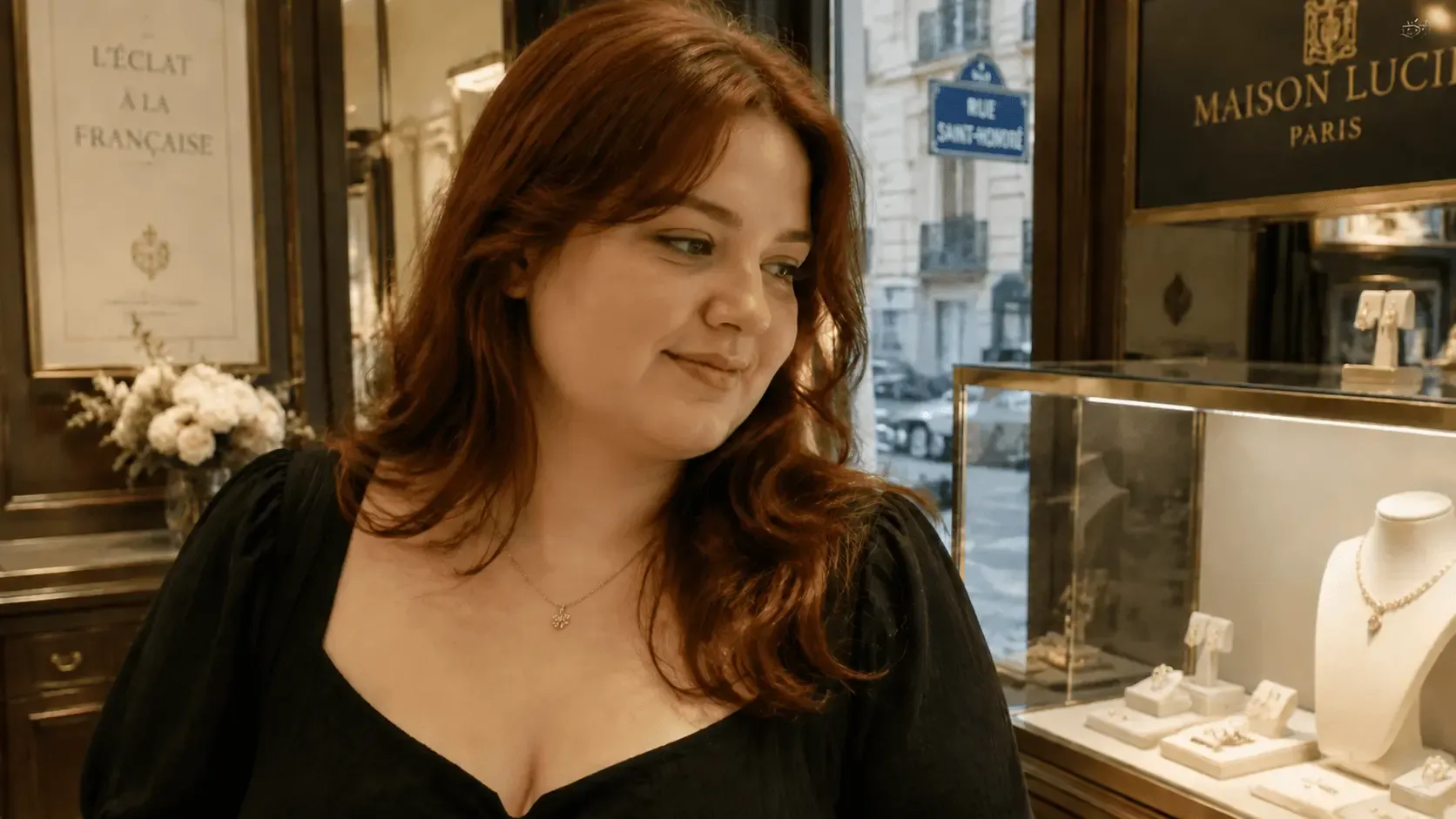
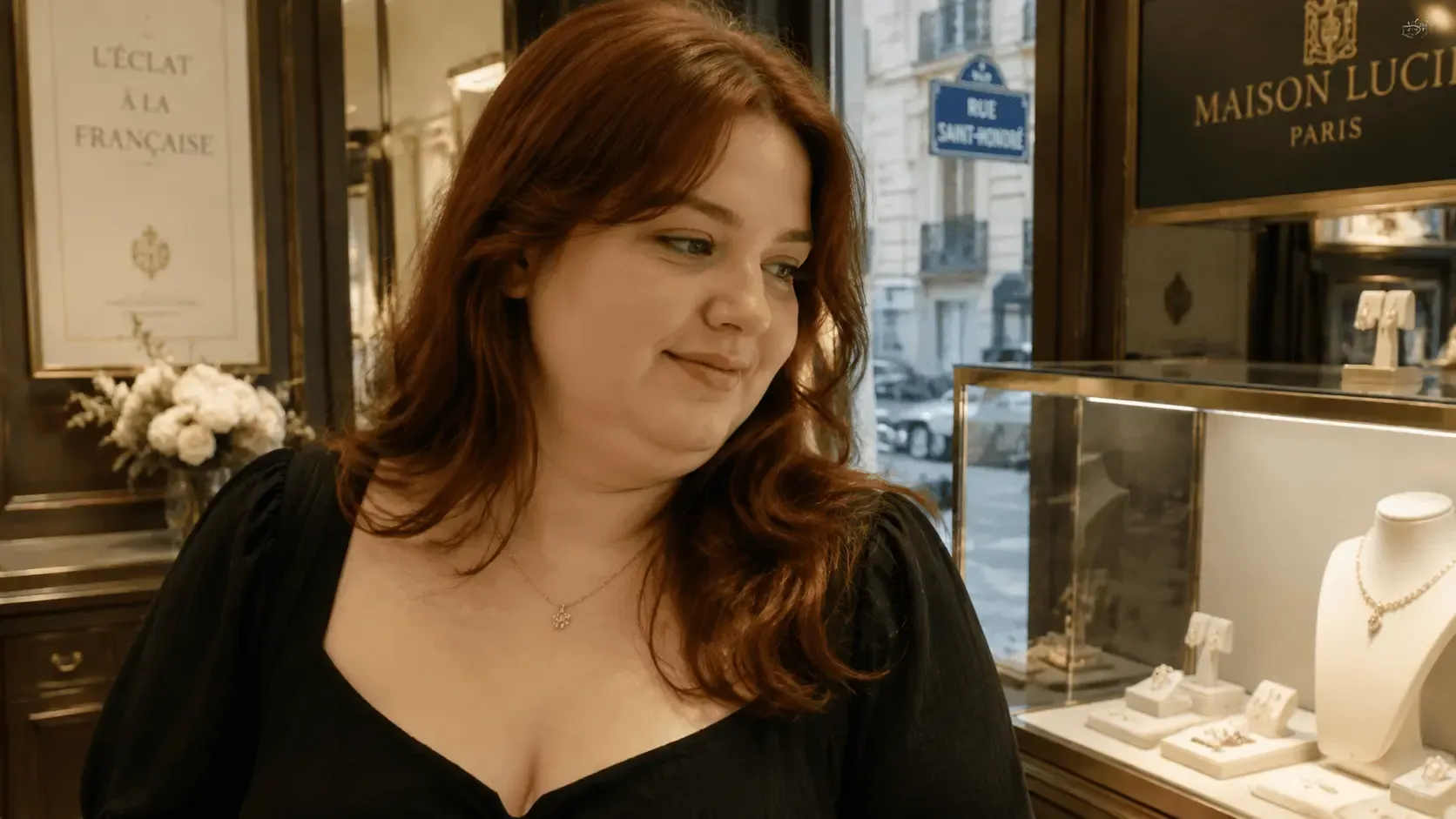
Instantly refine your facial contours with our AI face slimming photo editor. Upload any portrait, and EaseUS Fixo AI intelligently reshapes your face for a natural, slimmer look in one click—no complex editing required.
Before
After


Upload or Drop Files support any formats
Before
After
Smart AI for Automatic Face Reshaping
Our advanced AI precisely detects facial structure, allowing you to subtly slim the face, jawline, or cheeks with a single slider. It applies proportional adjustments for balanced, photorealistic results without manual brushing or tedious selections.
The AI adapts to various face shapes round, square, oval automatically, ensuring adjustments align with your unique features - no need for complicated parameter tweaks. It works in seconds, delivering consistent, natural-looking results across group photos, selfies, or professional portraits alike.
Try It Free
Before
After
Achieve Naturally Slimmed Results
Avoid the artificial over-edited look. The editor preserves your natural bone structure, skin texture, and facial features while contouring. Adjust intensity to ensure the outcome enhances your photo realistically, maintaining authentic lighting and shadows.
The tool seamlessly blends slimmed areas with the rest of the image, eliminating harsh edges or distorted details. Even at higher adjustment levels, the result mimics subtle contouring or a flattering camera angle - never fake, overly smoothed, or disconnected from your original appearance.
Try It Free
Before
After
Intuitive Editor for All Skill Levels
Designed for simplicity. Whether you're a beginner or pro, the image beauty tool guides you step-by-step. Upload, use the intuitive slimming slider, preview in real-time, and download. No technical knowledge needed - just fast, beautiful edits.
Real-time preview lets you zoom in to inspect fine details and tweak intensity on the fly.
Try It Free
Before
After
Full Online Toolkit for Portrait Perfection
Beyond face slimming, this all-in-one editor enhances entire portraits. Simultaneously brighten skin, whiten teeth, remove blemishes, and adjust lighting - all within the same seamless online workflow for a complete photo transformation.
It supports high-resolution images (up to 4K) and preserves image quality during edits and downloads. Additional features like eye enlargement, eyebrow shaping, and background blur complement the face-slimming tool, letting you craft polished, magazine-worthy portraits in one place.
Try It Free
Before
After
Watermark-Free Downloads & Instant Sharing
Enjoy full control over your edited photos with watermark-free downloads. No annoying logos or overlays will compromise your portraits, ensuring a clean, professional finish every time.
Download your edits in high-resolution formats (JPG/PNG) with no hidden fees or usage restrictions. You can directly share the polished photos to popular social media platforms (Instagram, TikTok, Facebook) or use them for personal and professional purposes - all edited images are fully yours to utilize freely.
Try It Free
User Guide: AI Face Slimming Photo Editor
Step 1. Upload Your Photos
Step 2. Slim Face with AI
Step 3. Download Slimmed Photos
Why Choose Fixo AI Face Slimming Photo Tool?
Powerful AI model
It integrates multiple AI image processing models, and there is always one that can solve your problem!
Fast speed
On average, a picture can be processed in just 10 seconds. It is fast and of high quality.
One-click processing
The operation is simple. Just click one button to handle it. No complicated procedures are required. You can obtain the photos you desire.
What Our Users Say?

Mia Carter
Fixo has become my go-to AI editing tool for all things photos! As a blogger who needs quick, professional results, I love that it's web-based—no downloads or complicated setups. The old photo restoration feature worked miracles on my grandma's faded, scratched portrait: it fixed cracks, added natural colors, and sharpened details without making it look over-edited.

Liam Henderson
I'm blown away by Fixo's AI power! I used it to unblur a blurry concert photo and remove an annoying photobomber—both tasks done seamlessly in seconds. The web interface is clean and intuitive, so I never feel lost navigating tools. What stands out most is the color correction: it balanced the harsh stage lights perfectly, making the image look vibrant but realistic.

Sophia Torres
Fixo turned my ordinary selfies into stunning portraits! I also tried the anime style transfer, and the result was so detailed and fun, I shared it everywhere. As someone who's not tech-savvy, I appreciate how simple it is: upload, select a tool, and let AI do the work. The web version loads fast, even with high-res photos, and downloading watermark-free results is a huge plus.

Ethan Wilson
I can't thank Fixo enough for restoring my parents' wedding photos. They were black-and-white, faded, and full of small tears, but Fixo's AI repaired every flaw and added lifelike colors that feel true to the era. The process was effortless—just drag and drop the photo, pick the restoration tool, and wait a minute.

Olivia Bennett
As a small business owner, I need to make product photos look polished without hiring a designer. Fixo's AI enhancement and background removal tools are game-changers. It sharpens product details, fixes lighting issues, and removes messy backgrounds in one click—all through the web, so I don't clog up my computer.

Mia Carter
Fixo has become my go-to AI editing tool for all things photos! As a blogger who needs quick, professional results, I love that it's web-based—no downloads or complicated setups. The old photo restoration feature worked miracles on my grandma's faded, scratched portrait: it fixed cracks, added natural colors, and sharpened details without making it look over-edited.

Liam Henderson
I'm blown away by Fixo's AI power! I used it to unblur a blurry concert photo and remove an annoying photobomber—both tasks done seamlessly in seconds. The web interface is clean and intuitive, so I never feel lost navigating tools. What stands out most is the color correction: it balanced the harsh stage lights perfectly, making the image look vibrant but realistic.

Sophia Torres
Fixo turned my ordinary selfies into stunning portraits! I also tried the anime style transfer, and the result was so detailed and fun, I shared it everywhere. As someone who's not tech-savvy, I appreciate how simple it is: upload, select a tool, and let AI do the work. The web version loads fast, even with high-res photos, and downloading watermark-free results is a huge plus.

Ethan Wilson
I can't thank Fixo enough for restoring my parents' wedding photos. They were black-and-white, faded, and full of small tears, but Fixo's AI repaired every flaw and added lifelike colors that feel true to the era. The process was effortless—just drag and drop the photo, pick the restoration tool, and wait a minute.

Olivia Bennett
As a small business owner, I need to make product photos look polished without hiring a designer. Fixo's AI enhancement and background removal tools are game-changers. It sharpens product details, fixes lighting issues, and removes messy backgrounds in one click—all through the web, so I don't clog up my computer.