
PowerPoint Repair Online Free: Fix Corrupted PPT & PPTX
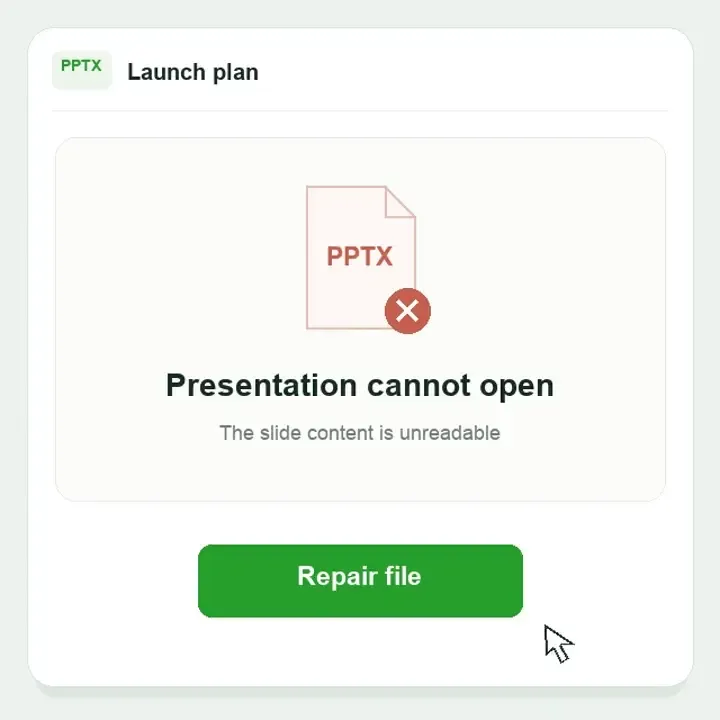
Repair PPT and PPTX presentations that will not open or report a problem with content. Check the available slides, images and speaker notes, then save a separate copy to continue preparing your presentation.
 Secure
 Supports PPT, PPTX, PPTM, POTX, POTM · Your file stays private


GET THE PRESENTATION BACK INTO USE
PowerPoint found a problem with content. What next?

Keep an untouched copy of the original before trying these steps.
 01
01PowerPoint found a problem with content
The file exists, but PowerPoint cannot read or open it.
TRY FIRST
Download a complete copy. For a trusted file, check Properties for an Unblock option. Try Open and Repair on a copy in a supported desktop version.
WHEN FILE REPAIR HELPS
The complete original still cannot be read after these checks. Keep it and try file repair on a separate copy.
 02
02The repaired presentation opens blank
The repaired copy opens, but slides or important content are missing.
TRY FIRST
Return to the original from before repair. Check hidden slides, custom shows and any earlier saved version.
WHEN FILE REPAIR HELPS
The original contains unreadable presentation data. Use that original for repair, rather than the empty result.
 03
03The file will not open after a save interruption
A crash or power loss interrupts saving, leaving a damaged presentation.
TRY FIRST
Reopen PowerPoint and check available recovery files. Look for an earlier copy in backups or OneDrive / SharePoint version history.
WHEN FILE REPAIR HELPS
A saved file exists but is damaged. File repair works on that file; unsaved work needs a recovery copy.
 04
04Slides open, but notes or media are missing
Text is visible, yet speaker notes, pictures or a video are unavailable.
TRY FIRST
Open the Notes pane. Identify whether media is embedded or linked; linked content needs its separate original file.
WHEN FILE REPAIR HELPS
Content stored inside the presentation is unreadable. Repair cannot retrieve a missing external video or workbook.

MORE THAN A SLIDE IMAGE
Why a slide can open while part of its content is missing
 field-notes.pptx
FIELD NOTES / 01
A change of perspective
Photography field study

Speaker notes belong to the slide
Introduce the location and explain the route.
 Embedded photograph
 External media link
Authored presentation content map
Slides & order
Missing slides may be hidden, omitted from a custom show or absent from the saved copy. Compare the slide pane and the original deck before treating them as lost data.
Notes & masters
Notes belong to the presentation but are not visible in a slide thumbnail. Replaced fonts or missing masters can change layout even when the text is still readable.
Charts & media
An embedded object and a link to another file are different. An intact slide cannot supply a video or workbook that remains on another computer.
WHAT FILE REPAIR CANNOT FETCH
Missing linked media is different from a damaged PPTX
Embedded video
It is stored inside the presentation. Test playback and duration after repair.
Linked video or workbook
The source lives elsewhere. Reconnect an available original; repair cannot retrieve an absent external file.
Fonts & macros
Substitute fonts may alter layout. PPTM readability does not validate macros or their behavior.
How to Use PowerPoint Repair in 3 Steps
Select the original, run repair and save the available output. Screenshots show the shared file repair workflow.
MADE FOR YOUR FILES
Get back to the presentation you were preparing
Repair focuses on available presentation content, giving you a saved copy to reopen, refine and bring back to your work.
RETURN TO THE DECK
More than a cover image.
See how slide text, charts and page order fit together in the same presentation.
Continue preparing your presentation
Use readable pages as the starting point for your next draft. Continue editing objects only when the saved output retains them.
 Check the saved file for missing slides and layout changes.
Authored content illustration · not a product screenshot or measured repair result. Available content depends on the saved output.
Choose how to repair your PowerPoint file
Start online for a quick single-file repair. Choose Fixo Desktop for larger files, batch processing or advanced repair options.
Capability | Online repairFor a quick single file | Desktop repairFor larger or multiple files |
Advanced repair |  Not available online Not available online |  Available in the desktop app Available in the desktop app |
Best for | A saved presentation that remains unreadable | Larger presentations and a desktop document workflow |
Formats supported | PPT, PPTX, PPTM, POTX, POTM | PPT, PPTX, PPTM, POTX, POTM |
File size | Up to 100 MB | No online upload size limit |
Batch repair | One file at a time | Supported |
Local & private processing | Transferred over an encrypted connection | Local processing on your device |
Offline use | Internet connection required | Offline file processing |
Complex damage | Common file corruption | Unreadable presentations and damaged slide content |
Premium technical assistance | Not included | Available with desktop support |
Access | Open the browser and go | Download and install |
Repair Online No installation required | Download Fixo DesktopDesktop app download required |
PowerPoint Repair FAQs
Save an untouched copy first. Download or copy the file again if the transfer was incomplete. For a trusted downloaded file on Windows, check Properties for an Unblock option. If the local copy still fails, try PowerPoint’s Open and Repair where available, then use the original damaged presentation for file repair if needed.
Keep the blank result separate and return to the original saved before repair. In PowerPoint, check the slide pane, hidden slides and any custom show before assuming content is gone. Open an earlier cloud version or backup if available. If the original still contains unreadable presentation data, use that original for repair; uploading the empty result discards the better source.
Do not assume every component will survive. Review the actual output, including the notes and embedded content you need. Repairability depends on the damaged file and surviving data.
No. Unsaved work needs AutoRecover, a backup or version history. File repair works with an existing file; it cannot recreate edits never written to it.
A PDF may preserve visible pages when the source can be opened, but it is not the same as an editable PowerPoint file with notes and embedded objects. Choose an output that matches your goal.
A substitute font or an unavailable linked video does not necessarily mean the presentation is corrupted. Install the licensed font or reconnect the original media when available. File repair cannot obtain an external asset that was never embedded.
PPTM and POTM are accepted formats, but a readable slide preview does not validate macros. Keep the original, review the document contents, and handle any macros through your normal trusted Office workflow.
No. A downloaded presentation may be blocked, copied incompletely or incompatible with the application. For a file you trust on Windows, right-click it, choose Properties, and use Unblock if shown, then Apply. Do not disable Protected View globally. If a complete local copy still fails in compatible PowerPoint, assess file repair.
Review the allowance, preview and saving conditions shown by the online service before processing. Downloading the desktop installer is separate from its repair and saving license.
PowerPoint File Repair and Opening Error Guides
Explore EaseUS tutorials for file repair, common errors and troubleshooting.
How to repair PPT files
Explore online and desktop methods for repairing a damaged presentation.
Fix “Sorry, PowerPoint can’t read ^0”
Find troubleshooting methods for this specific PowerPoint file-reading error.
Fix PowerPoint files that will not open
Review possible causes and fixes when PowerPoint cannot open a presentation.
Related Repair Tools


PowerPoint Repair Case Studies
Explore presentation repair stories from quarterly reports, classroom lessons and conference talks, where the next step is a deck someone can actually use.
Daniel R.
Finance operations specialist
Illustrative repair scenario | Case FX-PPT-0182
TRUSTPILOT
From users like you
Real feedback on EaseUS products and customer support, shared on Trustpilot.
Read all EaseUS reviewsEaseUS company reviews
Across EaseUS products and services.
Start with the presentation you need for the next meeting
Choose the original damaged presentation, including the copy saved before an unsuccessful built-in repair. Preview the available result and save it for PowerPoint. Specialized file repair
 Keep the original
 Save a separate copy