
Outlook PST Repair: Fix Corrupted Email Archives on Desktop
Repair corrupted Outlook PST files that will not open or contain unreadable mail. Use Fixo Desktop to review recovered folders and save the available files. PST repair is available on desktop only.
Repair your Outlook archive with Fixo Desktop
Open File Repair, add your PST and inspect the recovered folder tree. Save the available files separately before checking the mail and attachments you need.
 Repair corrupted or unreadable PST files
 Preview recovered folders before saving
 Save available files to a separate location
 Windows client · PST is not available for online repair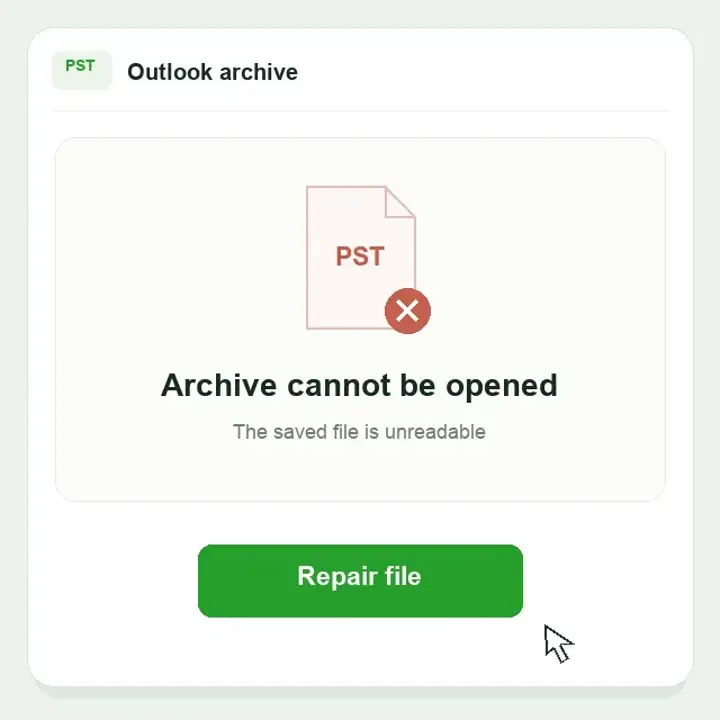


BRING YOUR ARCHIVE BACK INTO REACH
Repair the PST that holds your important emails
Old conversations, project folders and attached documents can all live in one Outlook data file. If that file becomes unreadable, start with the saved PST—not a new mailbox.
Fixo Desktop attempts to make the remaining data usable. Keep the source unchanged and check the available messages and attachments before saving a separate result.

PST
archive.pst
One archive, several kinds of content

Messages & dates

Folders
Projects & history

Attachments
Files you need
Fix common Outlook PST file problems
Identify what has stopped working, then choose the next step for your archive.

Outlook data file cannot be opened
Outlook cannot read an existing archive, or reports a data-file problem.
Check first
Confirm the path and a complete local PST copy. Close Outlook before copying.
When to try repair
The existing PST still cannot be read. A missing path, OST cache or account error needs a different check.
Missing folders or unreadable mail
The archive opens, but a message, folder or attached file is not usable.
Check first
Open the correct archive, expand its folders and clear view filters. Compare unreadable messages with a backup.
When to try repair
Items already stored in the PST are unreadable. Mail never saved in this archive needs another source.
The transferred archive fails
A PST copied from an old computer or backup drive fails on the new computer.
Check first
Try the source on the old computer. If it opens, make a fresh, complete copy.
When to try repair
The original archive is also damaged. Repair cannot complete an unfinished file transfer.
Microsoft Inbox Repair Tool · official documentation screenshot
WHEN THE BUILT-IN TOOL IS NOT ENOUGH
ScanPST cannot fix your Outlook archive?
The Inbox Repair Tool is a useful first option for PST errors. Close Outlook and keep a backup before following Microsoft’s repair instructions.
If the PST is still corrupted after ScanPST, add a copy to Fixo Desktop File Repair. Check important content in the output rather than relying only on a “repair complete” message.
Microsoft repair instructions ↗ScanPST stops or the error returns
Keep the original PST and .bak backup. If the complete archive remains unreadable, try a copy in Fixo Desktop and save available content separately.
Microsoft: PST repair and backups ↗Outlook opens, but the mailbox looks incomplete
Check the selected archive and view filters. After ScanPST, look in Recovered Personal Folders and Lost and Found, then compare with a backup.
Microsoft: recovered folders and .bak files ↗OLD MAIL. NEW COMPUTER.
Find the PST before repairing or moving your archive
In classic Outlook for Windows, go to File > Account Settings > Account Settings > Data Files. Find the archive’s location and confirm its .pst extension before making a copy.

Outlook will not start
Search your computer for *.pst. Check Documents > Outlook Files, the old computer and your backups. An OST is a different file.

Close Outlook before copying
Keep the complete original and any ScanPST .bak file. Work with a separate local PST copy.

Only the transferred copy fails
If the old archive still opens, copy it again. If both copies fail, repair the saved PST and preserve the original.
How to Repair a Corrupted PST in 3 Desktop Steps
Download Fixo for Windows, work with a copy and check what is available before using the result.
MADE FOR YOUR FILES
Bring your email archive back within reach
Fixo Desktop presents recovered PST folders in a browsable tree, so you can find the available contents and save them to a separate location.
ILLUSTRATIVE ARCHIVE CONTENT

Project correspondence
Subject: next week’s handover
Please find the handover notes attached. The final meeting agenda is in the project folder.
 handover-notes.docx
Fictional sample showing why message text, folders and attachments matter. Not recovered customer mail.
Actual Fixo Desktop screenshot: available folders and the save action.

Find familiar folders
Browse the recovered archive by folder, rather than sorting through an unorganized collection.

Return to important correspondence
Save available items from the folders you need for your work or records.

Keep a separate recovered copy
Keep the source archive alongside the saved output.

PST archive repair on Windows
Use Fixo Desktop for an existing PST. OST synchronization, account sign-in and browser mail are separate workflows. Check the saved items and their actual file types before reusing them.

Use the saved result in the right application
Open the output folder after Save Files. If the output includes a usable PST, classic Outlook can open it through File > Open & Export > Open Outlook Data File. For individual messages or attachments, use a compatible application for their saved type. Keep the original archive while checking the mail you need.
Choose how to repair your Outlook PST file
Use Fixo Desktop to repair a damaged PST and preview recovered folders. PST repair is not available online.
Capability | Online repairNot available for PST | Desktop repairFor Outlook PST archives |
Advanced repair |  Not available for PST Not available for PST |  PST archive repair PST archive repair |
Best for | Not available for PST | Damaged or unreadable Outlook archives |
Formats supported | Not available for PST | PST archives |
File size | Not available for PST | No online upload size limit |
Batch repair | Not available for PST | Supported |
Local & private processing | Not available for PST | Local processing on your device |
Offline use | No online PST upload | Offline file processing |
Complex damage | Not available for PST | Unreadable PST archives and folder structures |
Premium technical assistance | Not available for PST | Available with desktop support |
Access | Not available for PST | Download and install |
PST Online Repair Unavailable Use Fixo Desktop instead | Download Fixo DesktopDesktop app download required |
Choose the right fix for your Outlook problem
File repair, restoring a backup and account troubleshooting solve different problems.
| Your situation | Start here | What to expect |
|---|---|---|
| PST data-file error | Microsoft Inbox Repair Tool | Try the native repair with a backup preserved. |
| PST remains unreadable | Fixo PST repair | Inspect the content available from the saved file. |
| A complete working backup exists | Restore a separate copy | Compare dates and check for newer missing mail. |
| Sign-in or synchronization fails | Account and Outlook troubleshooting | Identify the account or application issue first. |
Outlook PST Repair FAQs
PST repair is available in Fixo Desktop for Windows. Download the client, open File Repair and add a copy of the damaged PST. This page provides the desktop entry; it does not upload your archive.
Close Outlook and keep the original PST and ScanPST backup. If ScanPST cannot finish, or the same archive still fails after repair, add a complete local copy to Fixo Desktop File Repair. If the PST opens but a folder seems missing, check the selected archive and view filters first. An OST, sign-in error or disconnected account needs a different troubleshooting path.
It may recover content that remains readable in the damaged PST. First check that you opened the correct archive and clear any view filters. After repair, expand the recovered folder tree and inspect saved items. Missing folders do not always mean corruption, and a folder name alone does not prove that all its messages survived.
Use Fixo Desktop; PST is not processed by the online service. Keep a complete local copy and enough disk space for the source, working files and saved result. Processing time depends on archive size and damage; a large mailbox is not promised to finish in one minute.
The desktop example on this page shows a recovered folder tree and a Save Files action. Expand the available folders in your own result, then save and open representative items. This example does not establish complete recovery of every email, attachment, contact or calendar entry.
Open the output folder and identify what was saved. If it contains a usable PST, classic Outlook for Windows can open it through File > Open & Export > Open Outlook Data File. If messages or attachments are saved individually, open them with an application that supports their actual file type. A folder-tree preview does not establish a specific output format or complete mailbox recovery.
Downloading the installer is separate from the repair and saving conditions. Check the trial and licensing options shown in the installed client before purchasing or saving. This page does not promise unlimited free PST repair.
This page covers an existing damaged PST archive. OST handling, account access and synchronization are different tasks. Check the extension and the source of the error before choosing a repair method.
In classic Outlook for Windows, open File > Account Settings > Account Settings > Data Files to see the file locations. Select the archive ending in .pst, close Outlook, and copy it before repair. If Outlook will not start, search your computer for *.pst and check Documents > Outlook Files and your backups. An .ost is a different file type.
Outlook Repair and PST Recovery Guides
Explore EaseUS tutorials for file repair, common errors and troubleshooting.
PST recovery and repair
Read about recovering lost PST files and handling damaged Outlook archives.
Compare PST repair tools
Explore the tools available for repairing an unreadable Outlook data file.
Fix Outlook error 0x8004010F
Troubleshoot the “Outlook data file cannot be accessed” error and its possible causes.
Related online repair tools


Outlook PST Repair Case Studies
From a client’s missing correspondence to an unreadable project archive, explore how PST repair can help people get back to the mail they need.
Daniel R.
Finance operations specialist
Illustrative repair scenario | Case FX-OUTLOOK-0182
TRUSTPILOT
From users like you
Real feedback on EaseUS products and customer support, shared on Trustpilot.
Read all EaseUS reviewsEaseUS company reviews
Across EaseUS products and services.
Get back to the mail in your damaged PST
Start with a copy of the archive that will not open. Repair it in Fixo Desktop, inspect the available folders and save the result separately. Specialized file repair
 Keep the original
 Save a separate copy