


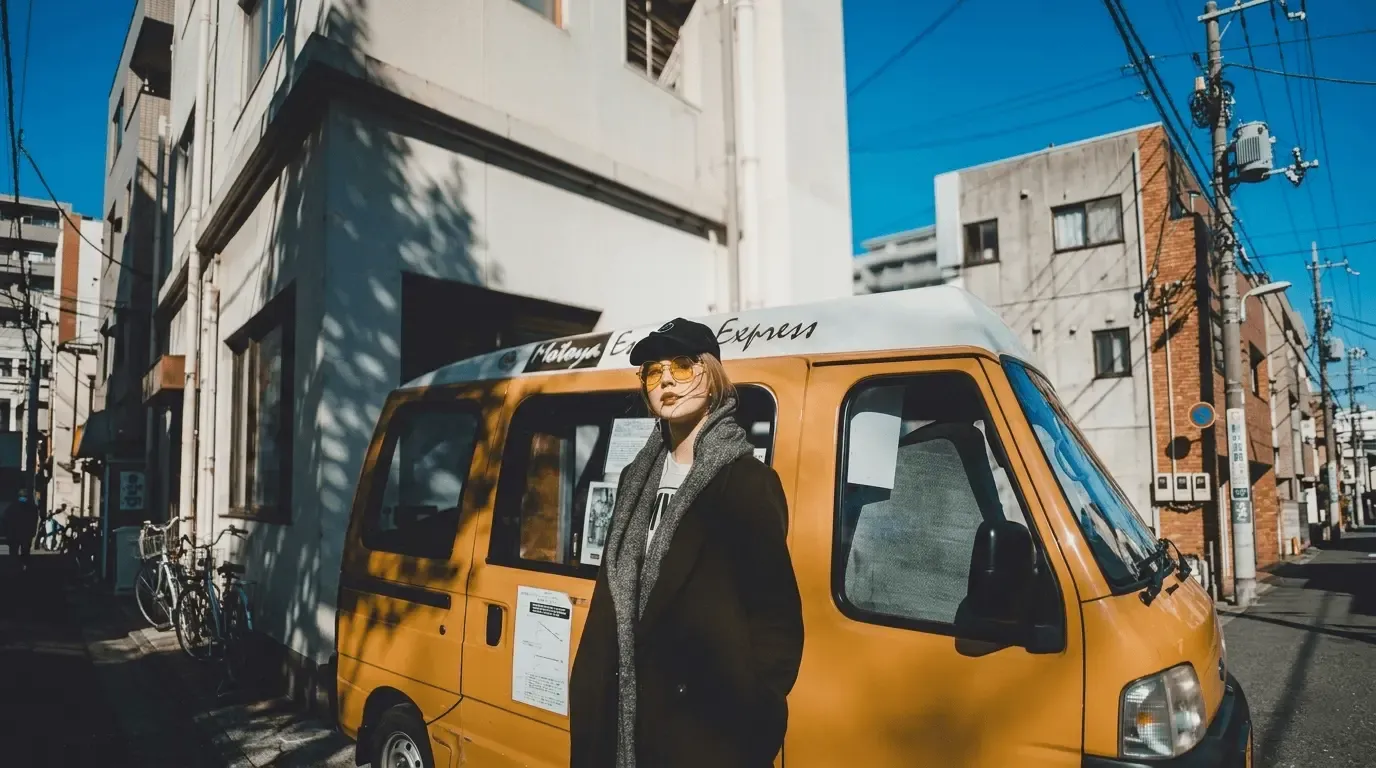


Unblur Image Online - Restore Picture Clarity Instantly & for Free
Tired of blurry images and pixelated images ruining your perfect moments? With EaseUS Online Image Unblur Tool, you can now effortlessly bring blurred photos back to life, refine them to perfection, and achieve stunning clarity with ease.
This free AI tool enhances image details by delivering clearer textures, sharper lines, and vivid colors, making the overall quality of photos upgraded beyond simple unblurring.
One-Click AI Unblur - Turn Blurry into Brilliant for Higher Resolution
Say goodbye to blurry and dim pictures forever with the EaseUS one-click AI unblur tool in hand. You can magically turn fuzzy and faded moments into high-resolution images with simple clicks of your mouse.
The system works and thinks as a human artist, not just a tool, because it understands light, context, and texture. EaseUS Online Image Unblur reconstructs faces to restore natural details, whether it's a moving toddler or a rainy window selfie.
Deblur Any Image - Improve Portraits Without a Watermark
Perfect for saving cherished memories, polishing your selfies and portraits for social media without a watermark, and no complex editing tips required. You can turn blurry glimpses into brilliant keepers in seconds.
With the help of advanced AI algorithm technology that analyzes your images to rebuild missing details, this free online unblur tool can remove noise from pictures, whether it's high ISO noise, compression noise, or scan noise.
User Guide: EaseUS Online Image Unblur
Why Choose Fixo AI to Unblur Images?


What Our Users Say?


Unblur Image Online FAQs
The AI unblur tool doesn't just enhance a photo in a simple way. It intelligently reconstructs the image to the desired situation. For instance, when a skilled artist redrawing a faded masterpiece, he/she will use knowledge of what things should look like, rather than just tracing the lines.
Yes, it is surely possible to improve a blurry image without losing quality, and often even to gain better quality as you want. But the unblured results depend heavily on why the picture is dim and blurry and the capability of the unblur tool you use. Using an online image unblur tool like EaseUS Online Image Unblur may help.
Yes, it is a totally free tool that is available online and there is no paid service. You just need to upload your iamgesa and wait for the AI power to do its magic. Then, you can download the explicit pictures for free. And here to note that there would not be annoying watermark left on the downloaded photos.
If you want to get the sharpest and most natural result using an AI unblur tool, you should have some strategy to use. You need first pick one of the most possible source file and then choose a reliable and powerful image unblur tool like EaseUS Online Image Unblur.
Of course, old and motion-blurred photos can be tackled with the help of an AI unblur tool. Today's AI image unblur tools or software can work like a digital photo restorer that will bring faded colors back to life and make your pictures feel vivid again.
To unblur image no sign up, you can consult to online tool like EaseUS Online Image Unblur to fix your blurry images. You just nned to visit the website and drag your problematic pictures there, and click the unblur button to start the process.
In fact, most types of the blurry images can be fixed and repaired, But here are some easy-to-fix types you should be aware of:
You can surely unblur the photo for free and without a watermark with the help of an online AI tool like EaseUS Online Image Unblur. People may hold that they should pay for the unblur process or that the repairing steps are complex. But with this AI-Powered tool, you just need to upload, click, and then download. All finished in three steps.
Several free AI-powered tools available online — such as EaseUS Online Image Unblur — can effectively sharpen blurry images and restore clarity automatically. These web-based services use artificial intelligence to analyze and enhance photo details within seconds, requiring no software installation or account registration.
ChatGPT cannot unblur, repair, or edit your images directly because it is a text-based AI model. It cannot process or alter any visual content, although it is also AI-powered. But you can ask ChatGPT for suggestions on which AI tool you need to choose to get your blurry photos clear with ease. Guess EaseUS Online Image Unblur would be one of the tools recommended.
Certainly, to clear a blurry image for free, you can use online AI-powered tools such as EaseUS Online Image Unblur, which automatically analyzes and sharpens blurred areas without requiring payment or technical expertise. This tool is completely free, and you can utilize other features to enhance your image without any additional fee.
Unfortunately, the original information has been irreversibly changed or erased, so it is impossible to reverse or unblur photos that are restricted or blurred on purpose. AI technologies now are unable to reliably restore content that has been pixelated, disguised, or obscured by censorship. You can use an online tool to have a try, but it is not recommended.
Try EaseUS Online Image Unblur tool to unblur your image with AI power online for free.You can finish the unblur process within three a few simple clicks. Just upload or drag your dim photos to the traget place and click on the unblur button to start the repairing process.
The answer is a big Yes. There are many online unblur tools available to help you unblur an image for free, so you do not have to bother downloading software as you did. Take EaseUS Online Image Unblur as an example, you just need to drop your images there, click the magic button, and wait. Then download your intact photos once the process is done.
Some free tools often have limitations, such as lower resolution output and restrictions on the number of images you can process per day. Some tools will leave a watermark to ask you to pay for the process, but EaseUS Online Image Unblur makes it free to upload, unblur, and download. You can try it out by visiting the website and dragging your images there.